In development · no release date yet
The cloud is the icon
you were told not to look inside.
Packetium is a network-building sim. A job comes in — three floors, forty desks each, a server room on two, cameras throughout. You design it, buy the hardware, wire it, address it, and then work the first business day live, at 8:55am, when everyone logs in at once.
Then it stays built. On the map. Running and earning, while you take the next job somewhere else — and eventually, while you go build the internet it plugs into.
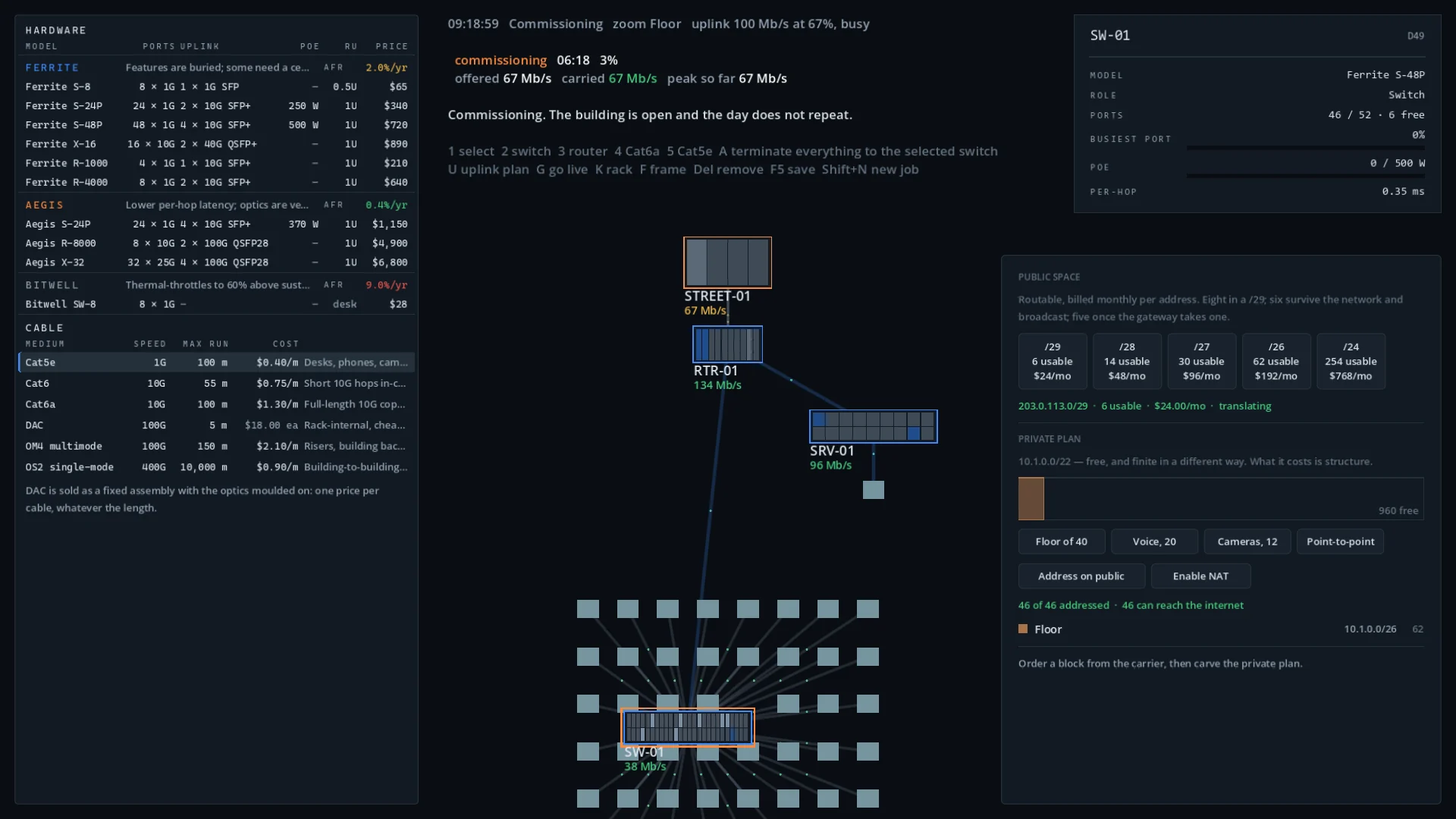
The vocabulary is real
Subnets, VLANs, trunks, uplinks, oversubscription, PoE budgets, SFP modules. Nothing is renamed to sound friendlier, and there are no lecture screens. You learn why NAT exists by needing it.
Failure is legible
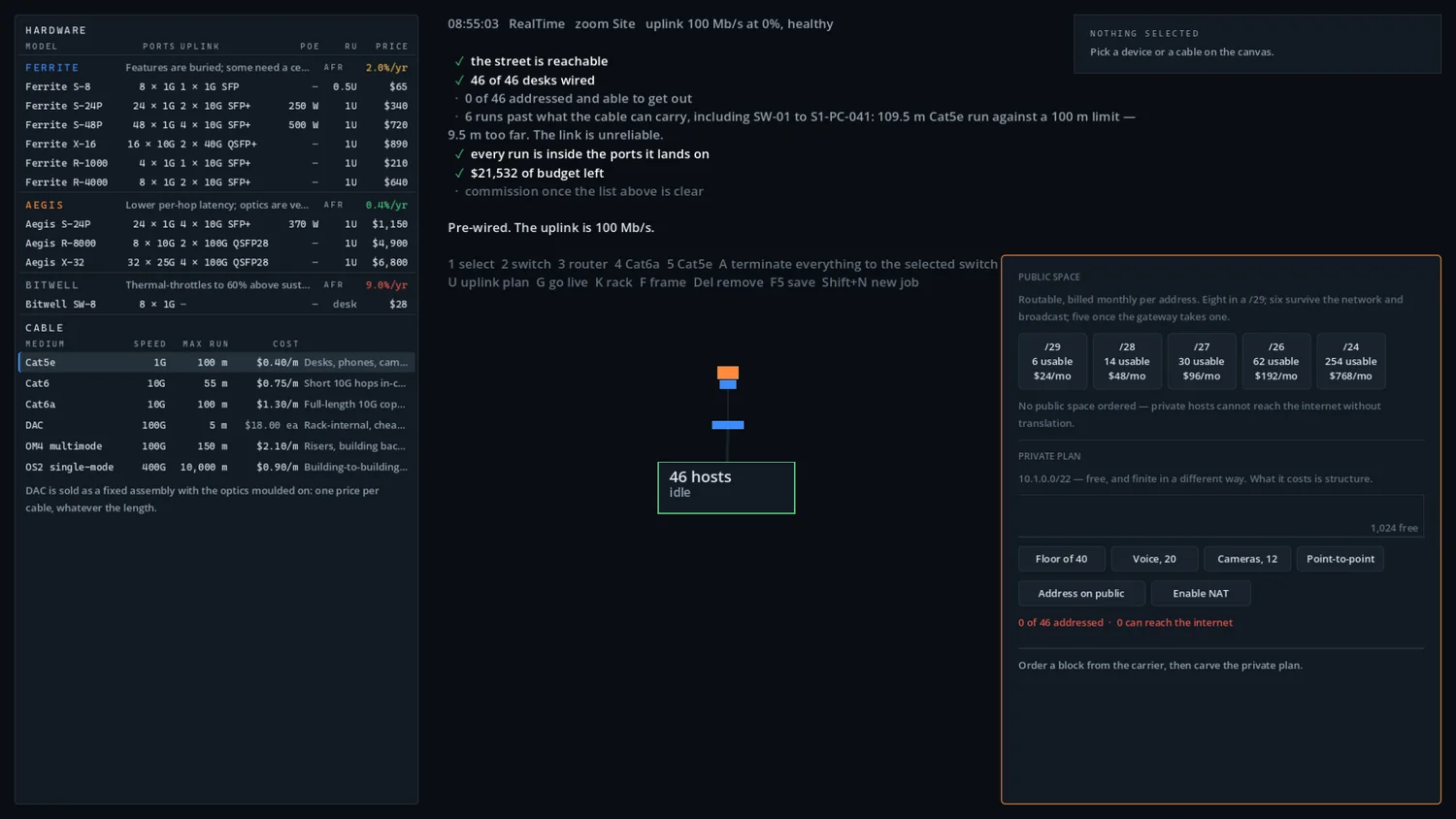
When something breaks the game names it, precisely, in one plain sentence — and this one is lifted straight out of the build below, not written for a website. “6 runs past what the cable can carry, including SW-01 to S1-PC-041: 109.5 m Cat5e run against a 100 m limit — 9.5 m too far. The link is unreliable.” You are never left guessing which of forty things is wrong.
The world remembers
Nothing is a level. The network you shipped in hour two is still running in hour forty, and the client who has doubled in size is calling about it. One save file, one graph, both maps.
01 One building, start to finish
A build runs twenty to forty minutes. Every phase applies its own pressure, and nothing rewinds — there is no pause button and the day does not repeat.
-
Brief
A client, a device count they claim, a location on the map, and whatever carriers that region has.
-
Survey
Pay for a site walk and measure the runs yourself, or skip it. Skipping is faster, cheaper and blind.
-
Bid
Quote a price and a service level. Quote high and lose the job. Quote low and live inside it for years.
-
Procure
Three vendors, three price tiers. Cheap gear fails at 9% a year. Good gear eats the margin.
-
Build
Place gear, pull links, fill ports — against rack units, PoE watts, port counts and run lengths.
-
Address
Order public space by the block, carve the private plan, set gateways and NAT. Addresses cost money.
-
Commission
Open the building and work the first business day live. You get one. It is scored.
-
Operate
The site goes cold and earns monthly. Gear ages. The client grows. Then something pulls you back.
02 Two maps, one graph
The World is physical geography — buildings, floors, closets, cable runs. The Cloud is the internet those buildings plug into — counties, metros, datacentres, and the backbone routes between them. You reach it by clicking the cloud icon your own uplink already terminates in.
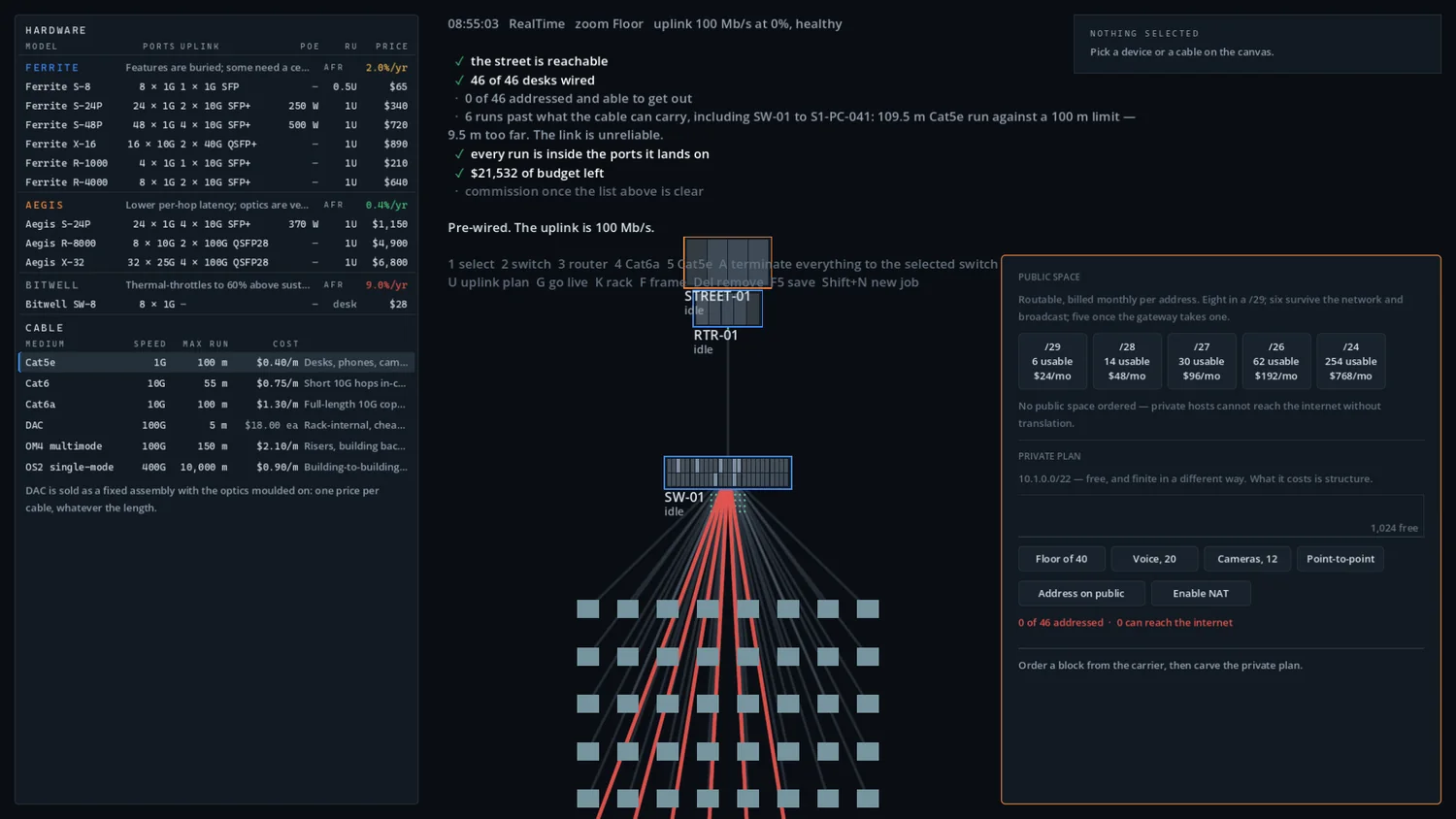
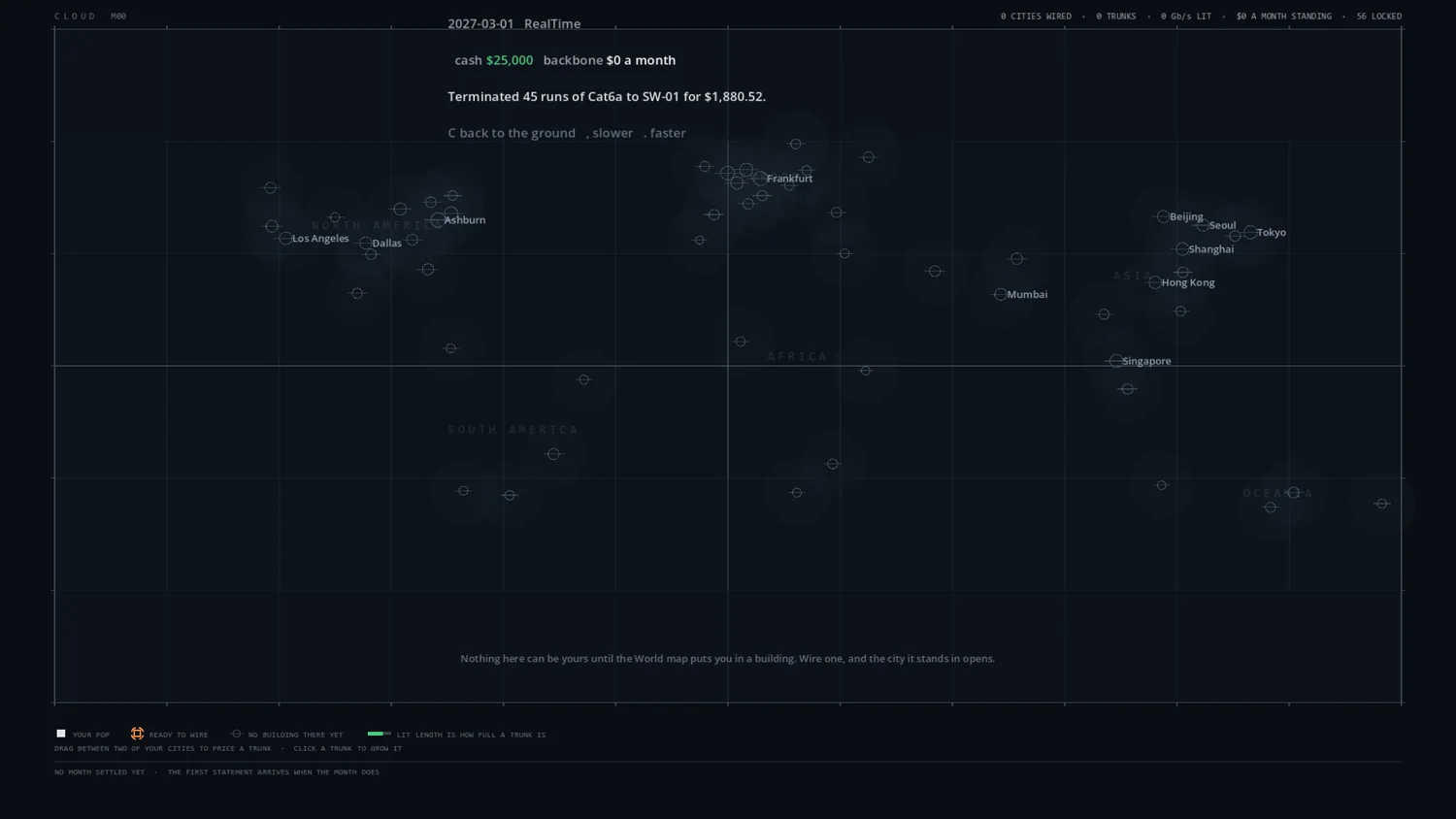
| The World | The Cloud | |
|---|---|---|
| Geography | Physical — metres, terrain, buildings | Administrative — counties, states, metros |
| Unit of work | A premise: one client's building | A route, or a facility |
| You build | LANs, risers, last-mile | Backbones, POPs, interconnects |
| Paid by | Client service contracts | Transit sales, and your own sites' consumption |
| Signature constraint | Physical distance | Path diversity |
| Zoom range | Continent → rack | Nation → rack |
| Early game | Everything happens here | A monitoring view of infrastructure you rent |
| Late game | Your customer base | Your business |
03 Addressing is the signature mechanic
You buy public IP space from a provider by the block, and it costs real money per address, every month. You carve private space internally for free — and discover it is finite in a different way.
The moment you try to fit 120 devices behind a /29 and find that you can't,
you have learned why NAT exists. By needing it. Not by being told.
Every address, mask and model code in the game is set in monospace, because misaligned octets are unreadable and this is a game about reading them.
04 Exactly what it simulates
Sim-lite, and specific about it. This is the scope commitment the whole project is checked against — including the last column, which is a promise rather than a to-do list.
✓ Simulated
- Link capacity and utilisation
- Flow-level bandwidth contention
- Latency: propagation, per-hop, queuing
- Packet loss above saturation
- Subnets, masks, gateways, DHCP pools
- VLAN membership and trunking
- Static and default routes
- NAT translation and port exhaustion
- PoE draw against switch budget
- Cable distance and media limits
- Inter-site links and long-haul latency
- Carrier transit quality per region
- Physical route diversity and shared risk
- Peering and transit relationships
- City-pair traffic demand and capture
- Hardware failure rates and ageing
≈ Abstracted
- Individual packets — flows only
- TCP windowing → max-min fairness
- MAC learning → assumed correct
- ARP → assumed resolved
- Routing convergence → instant
- Multi-homing → failover with a delay
- Spanning tree → loop detected or not
- Encryption, TLS, certificates
- Wi-Fi RF, channels, interference
× Never
- BGP path selection
- OSPF areas and LSA flooding
- Actual CLI syntax entry
- Frame headers or protocol bytes
- MTU and fragmentation
- Queue disciplines beyond priority classes
The Never column is not a statement about what is interesting. It is a statement about what turns this into GNS3 with sprites — a product whose entire audience already owns GNS3.
05 Screens
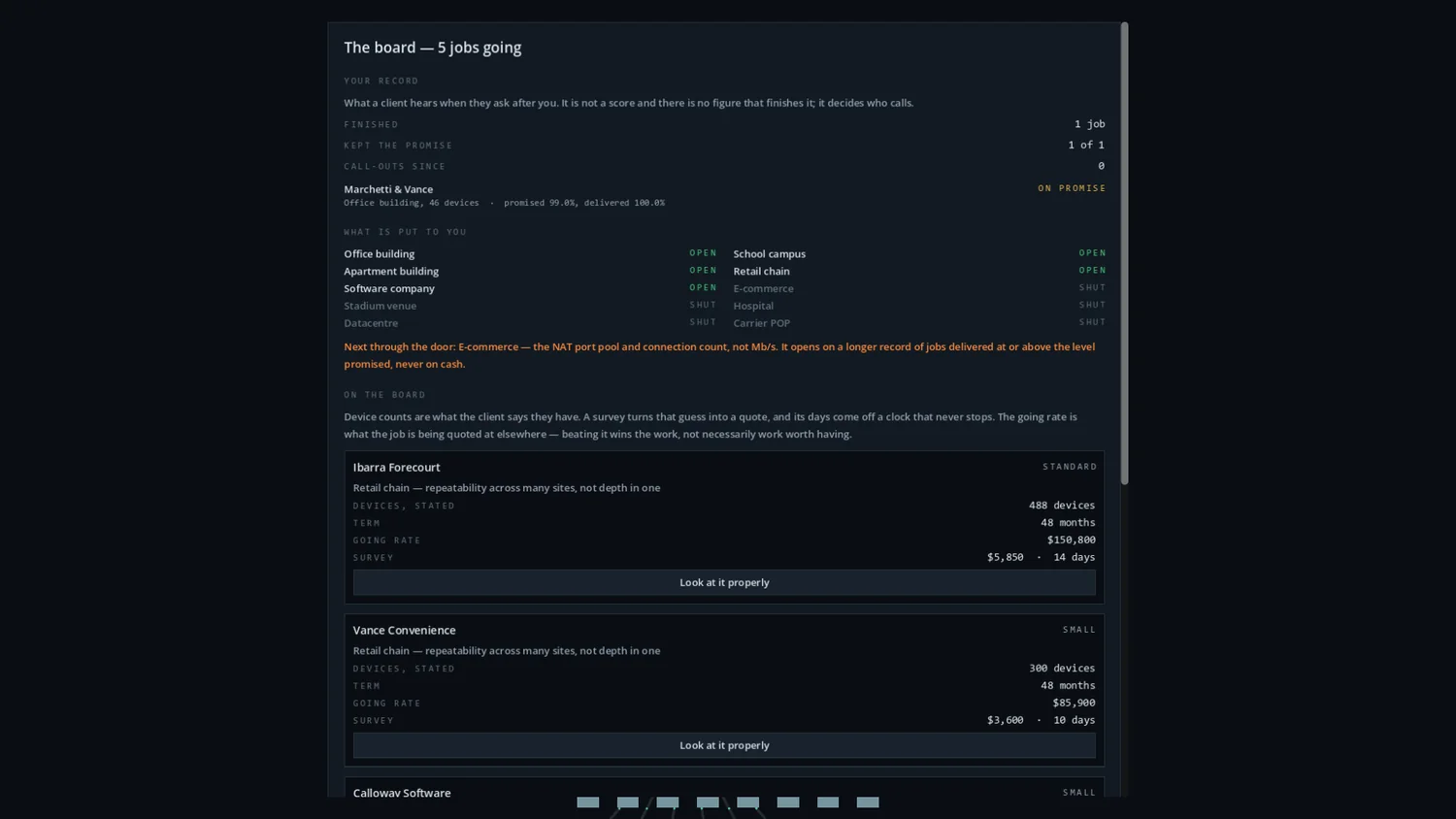
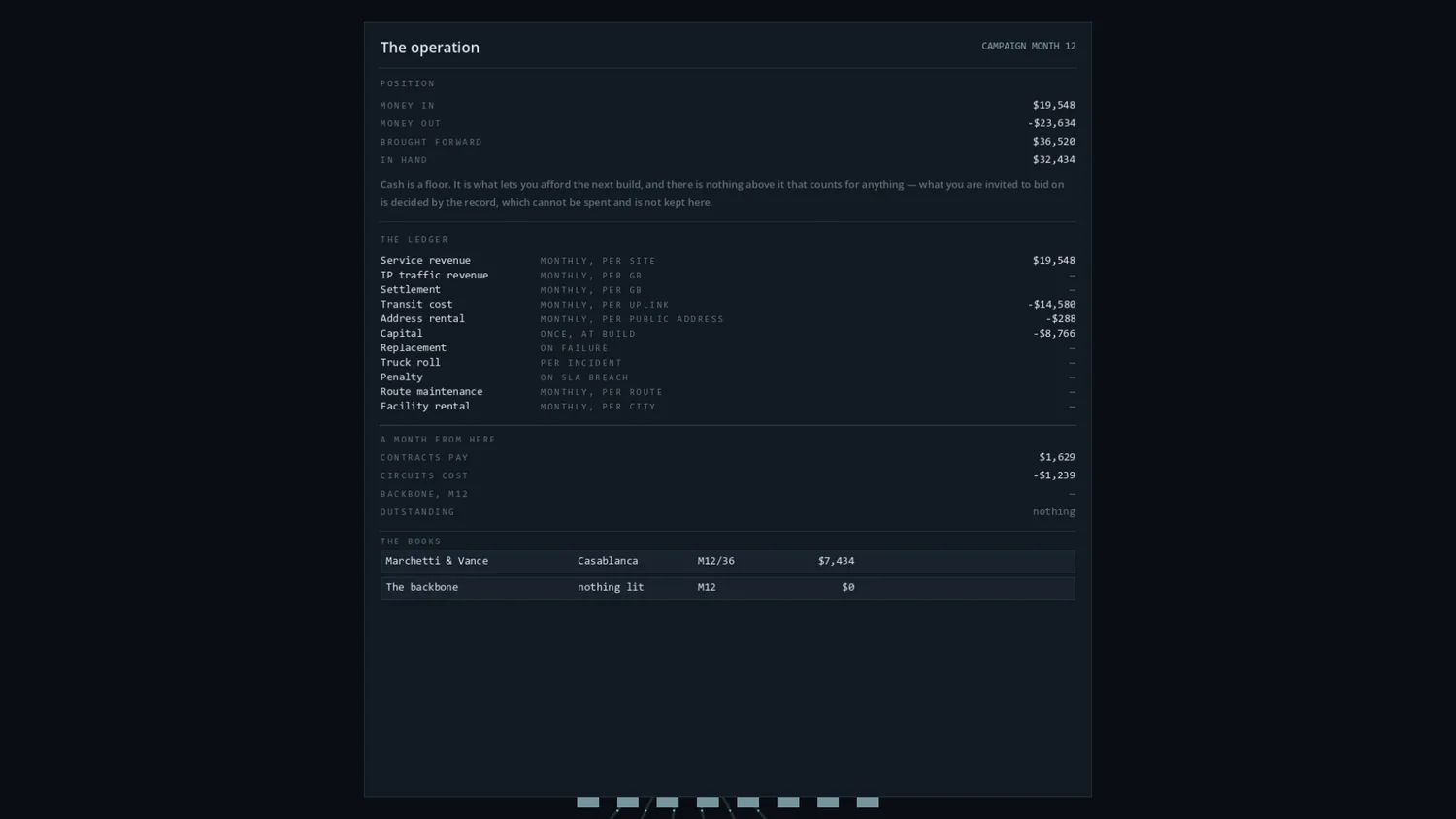
Near-black slate ground, thin glowing links, monospace numbers, and colour used almost exclusively to carry meaning. The palette is drawn from TIA-568 structured cabling pair colours — the actual blue, orange, green, brown and slate inside every Ethernet cable in the game. Captured from a live build; everything here is subject to change.
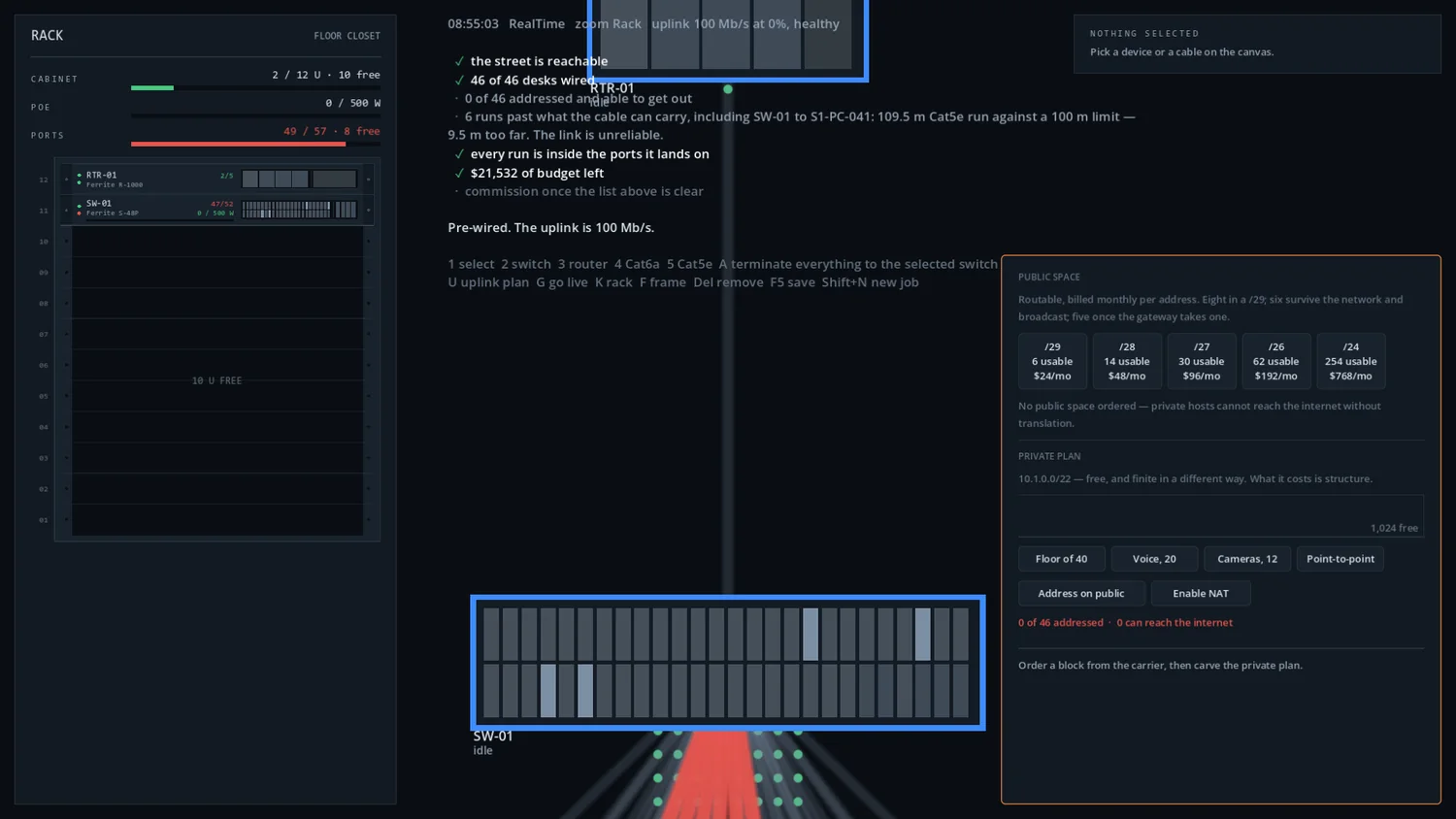
#3D8BFD Pair 1 — structure, links #FF8A3D Pair 2 — core, emphasis #46C97E Pair 3 — healthy #A8724A Pair 4 — inert, deferred #7D8FA3 Pair 5 — neutral
06 Where it actually is
Honest status, because a wishlist button on a game that does not exist yet helps nobody.
Simulation core
A plain C# library with zero engine references, so it can be verified without playing to it. Flow solver, topology graph, pathfinder, reachability with named failures, hardware catalogue, media and latency, addressing, demand profiles, telemetry.
400+ tests green
The full loop, playable
Bid, wire, address, commission, operate, renew — end to end, with a job board, a ledger that shows the sentence justifying every posting, and sites that keep running after you leave them.
Godot 4.6 · .NET · Windows build exports
In progress
The continuous zoom camera from continent to rack, acceptance-day scoring, and the Cloud economy past its first pass.
Next
Not yet
No Steam page, no store listing, no release date, no price. Those come after the honest go/no-go on whether the thing is fun — not before.
Deliberately deferred
07 Latest updates
The whole devlog →-
Changed
Traffic on a cable now travels the way it really goes
A desk's downloads come in from the street and a camera's footage heads out to it. A cable carrying both ways draws two lanes, one each side, each moving its own way.
-
Changed
Traffic no longer marches in step
Every cable of the same speed used to move its dots in lockstep, evenly spaced. Each cable now keeps its own rhythm, with uneven gaps, the way real traffic arrives.
-
Changed
A busier cable now draws more traffic
How many dashes a cable shows now follows how much it is actually carrying, so the busy hour looks busy and a fast backbone link moving a lot looks busier than a desk cable at the same percentage. The colour still says how full the cable is.
One email, when there's a date.
No newsletter, no drip campaign, no sharing the list with anybody. It sits in a file on this server until there is something real to say, and every mail that ever goes out will have an unsubscribe link.
We store the address and the date you gave it, nothing else. Ask and it is deleted.